
With Microsoft choosing to sunset Windows 10 (putting countless perfectly usable machines out of service), the switch to alternative systems is now upon us. After all, Windows 11 has evolved to become a bloated mess, filled with intrusive telemetry and recurring ads.
Macs appear to be a rather enticing option for most, especially for those who might find open source alternatives (such as Linux based operating systems) to be a tad bit more difficult to jump into.
That being said, buying a Mac in 2025 is a very confusing affair, especially when we have so many choices on offer. This guide will attempt to lay down some fundamentals, and offer you precise recommendations depending on your budget (and scope of work/usage).
Before You Buy a Mac in 2025

Know what you need to do before you purchase a Mac. Macs run macOS, a UNIX-based operating system, making them quite incompatible with most Windows based software out of the box.
While there are workarounds, there are certain apps that simply refuse to work on macOS. This extends into most games as well, and do not expect to game a whole lot (if at all) if you make the switch to macOS.
That being said, compatibility is a lot better than it used to be before, owing to software solutions such as Parallels (a Windows virtual machine program) and Crossover (which allows you to run most games on macOS).
If your software runs fine on macOS (or at the very least, has a working alternative) then switching to a Mac makes a lot more sense. Double check your requirements before making the switch. For most casual users (web browser based tasks), a Mac is just as capable, if not often better.
What Kind of Mac Should You Buy?
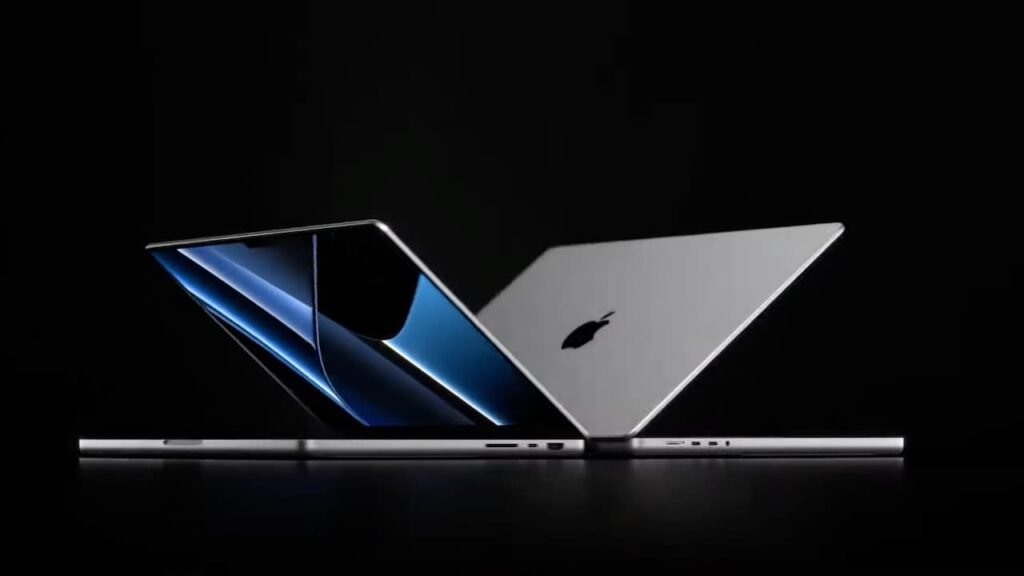
To begin, avoid Intel based Macs entirely. These Macs have gone long past their prime, and will no longer receive further versions of macOS, past Tahoe. Not to mention, these machines are loud and possess absolutely terrible battery life (in addition to being mediocre in terms of performance).
Always go for the M-series of Apple Silicon (M1 and newer) instead. Even the ageing M1, released back in 2020, still handles most tasks like a champ, and has way more compute power than the casual user will ever require.
M1 is starting to lose its edge though right now, and is also becoming increasingly harder to find. As such, the M2 and M3 series might be better alternatives, especially for those on a budget.
The M4 and M5 series are relatively new, and are nice to haves, instead of being necessities. Unless you absolutely need the perks of the new M4/M5 series (such as being able to run two independent displays with the laptop lid open), it might be worth saving a few bucks and grabbing the last gen models for a hefty discount instead.
As far as Macs go, there’s quite a few options:
- Macbook Air: Light, sleek, and have limited IO. Good for students or those looking for an everyday laptop for light to moderate use, has incredible battery life and is fanless.
- Macbook Pro: Distinctly bulky, and has active cooling – allowing it to reach higher performance thresholds. The Macbook Pros also have better, 120 Hz displays and a much superior sound system, albeit at a markedly higher price.
- Mac Mini: Arguably the best value for money Mac that Apple has ever released to date, the M4 Mac Mini is a beast of a computer in a tiny form factor. It has plenty of IO, even if it is limited to only USB-C. The Mac Mini does require your own peripherals, though.
- Mac Studio and Mac Pro: The Mac Studio and Mac Pro are high end machines designed for professional users in mind. These are expensive machines, and have industry leading compute performance. That being said, this class of Mac is largely unnecessary for most users.
- iMac: The all-in-one PC from Apple, the iMac is enclosed in a razor thin, all screen display, with a decent selection of IO. It also packs in some serious horsepower for its size and is a great desktop machine for most casual users. It even comes with its own set of accessories.
In a nutshell:
- Most students should eye the Macbook Air, thanks to its cheap price and portable nature.
- Those who need that extra bit of horsepower can consider buying the Macbook Pro instead. The Pros also have better quality displays, something which can be a big deal.
- Those who need a desktop can simply look to the Mac Mini, which also happens to be the cheapest computer Apple retails currently.
- The Mac Studio and Mac Pro are designed for professional environments. If you really don’t know what you’d do with one of these, it’s probably not the machine for you.
- The iMac is a great all-in-one desktop that makes sense if you don’t have accessories to use (or just want it for the sake of having an all-in-one).
Before we wrap up this article, always, always make sure to buy a machine that has at least 16 gigabytes of RAM. 256 GB of storage in 2025 is a strange choice from Apple regardless, but at the very least, you can expand it using external drives.
There is no way to upgrade the RAM once you buy a Mac, so always make sure to meet your requirements first – depending on your workload. This is especially true for M3 and older devices, many of which can be found with an 8 GB RAM configuration still.

